QR Code Generator - QRHyper
- 4.8
- Rating
- 5.00M
- Installs
- Free
- Price

 Analysis by App-foxy
QR tools usually look simple until you need one at the exact moment a poster, menu, parcel, or event sign has to be ready. I spent time using QR Code Generator - QRHyper in that practical space, and my impression is that it is designed for people who want to create a code quickly without learning a complicated design program. It belongs to the productivity category, is free to install, and comes from Gulooloo Tech Co., Ltd. The focus is narrow but useful: turn information into a scannable QR image, then make it presentable enough to share or place somewhere visible.
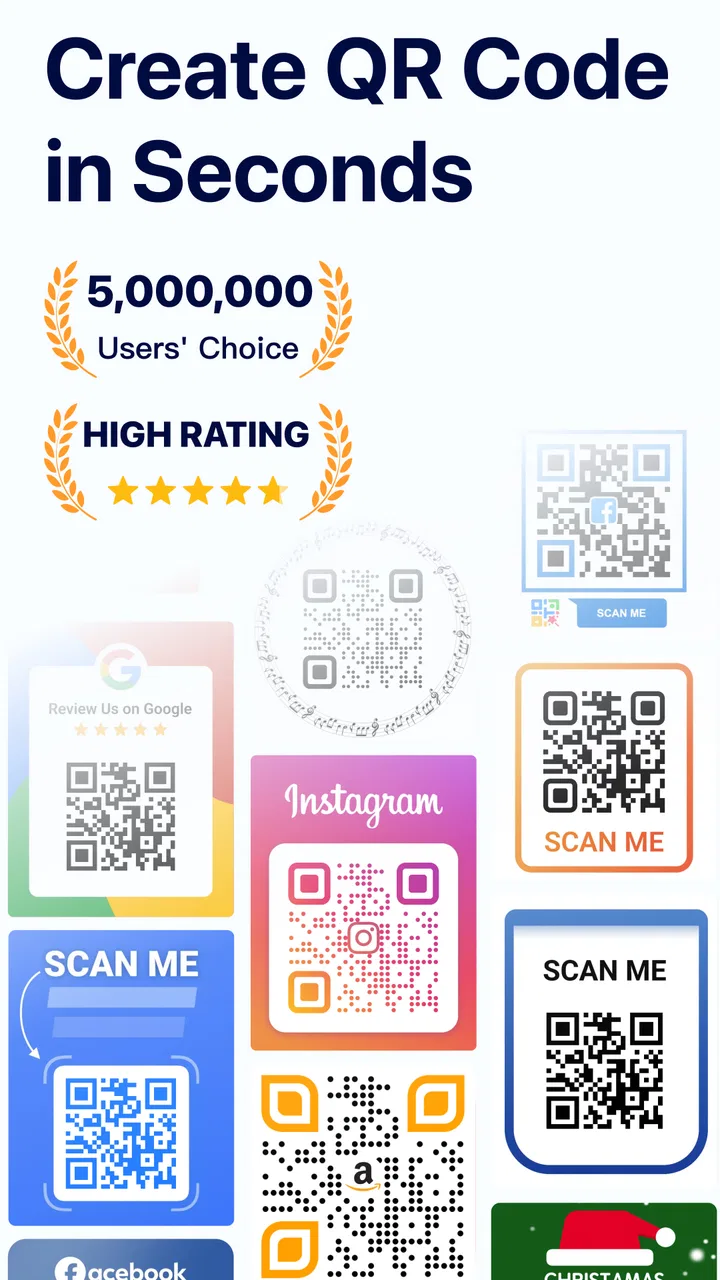
That narrow focus is also the reason I found it easier to understand than broader design apps. I did not have to build a layout from scratch or search through a large template library before reaching the actual generator. The app’s store summary emphasizes stylish codes that scan and do not expire, but in everyday use the important question is less about decoration and more about whether the result fits the situation. A code for a small personal label has different needs from one printed on a large notice, and this app is most convincing when used as a fast utility rather than as a full branding suite.
How QRHyper feels when connectivity is part of the job
I find the key to using QRHyper well is to separate the code from the connection it points to: a saved image can be ready to scan even when its destination is not. Before handing a code to someone else, I check the destination on the kind of network they are likely to use, so a smooth scan does not create a dead end. That distinction also helps explain what to verify when preparing a code for a real-world handoff.
You May Also Like

 Pandora - Music & Podcasts
Pandora’s Music Is Easy to Start, but Harder to Recover
Pandora’s strength is its low-effort path from a seed to a station. Its weak spot is how much confidence it asks you to place in connection, setup, and quiet recovery.

 8 Ball Pool
 Is Built on Rivalries, Rematches, and Routine
A close look at the rivalries, rematches, shared routines, and unanswered safety questions that turn a quick pool match into a persistent mobile community.

 Samsung Music
’s Quiet Strength Is Playing What You Already Own
Its reach comes less from spectacle than from dependable access to a personal library. That simplicity is both the app’s strongest retention engine and its ceiling.

 AccuWeather: Weather Radar
AccuWeather Review: A Quick, Clear Forecast for Everyday Decisions
For everyday plans, the best forecast is the one you can understand quickly. AccuWeather makes rain timing, radar, and local conditions easy to act on, with a few trade-offs.

 Hill Climb Racing
Why Hill Climb Racing Still Turns Crashes Into One More Run
A tiny car, a bumpy hill and one more upgrade: Hill Climb Racing keeps resurfacing because its simple chaos makes every near-miss feel personal.

 AliExpress - Shopping App
AliExpress Makes Global Shopping Feel Personal, but Shoppers Bear the Risk
AliExpress turns a global marketplace into a pocket-sized discovery engine. Its reach is useful, its shopping loop compelling, and its trade-offs easy to miss.
More From Our News Desk
View All News


The first useful distinction: creating a code is not the same as using it
A QR image can look like a purely offline object once it has been made, but the information behind it may depend on a network. If I create a code containing a web address, the code itself can still be printed and scanned later, while the person scanning it may need an internet connection to open the destination. That distinction matters when preparing materials for a market stall, classroom, reception desk, or community noticeboard. The app helps with the image-making step; it does not remove the connectivity requirements of whatever the code points toward.
I therefore try to test the destination separately before sharing the finished image. A code can scan perfectly and still lead to a page that loads slowly, requires a sign-in, or is unavailable outside a particular network. This is one of the most useful habits when working with a generator: treat the QR image as a doorway, not as proof that the room behind it is accessible. QRHyper is convenient for producing that doorway, but the quality of the final experience still depends on the linked content.
Where the app fits into a mobile workflow
On a phone, the main advantage is immediacy. I can create a code while preparing a message, organizing a small event, or labeling something at home instead of waiting until I am back at a computer. That makes it particularly suitable for last-minute tasks. For example, imagine I am helping a local group put a sign near a table with a digital registration page. I can generate the code on my phone, inspect the visual result, and pass the image to the person handling the sign. The work is small, but removing the need for a separate desktop tool makes the process less awkward.
There is a practical limitation to mobile creation, though: the screen is not a reliable preview of every final size. A code that looks clear on a phone may become too small after being inserted into a document or printed on a crowded card. I would leave enough empty space around the code and avoid shrinking it merely to make a layout look tidier. The scan pattern needs visual breathing room, and a decorative treatment is only helpful if it preserves that basic readability.
For quick sharing, the app is more suitable than a general image editor because the purpose remains obvious from the beginning. A design application may offer more control over typography, spacing, and brand elements, but it also creates more opportunities to export the wrong thing or cover the code with other artwork. QRHyper makes more sense when the QR image is the main object and the surrounding design can be handled elsewhere.
What happens when a network-dependent step fails
The most important recovery habit is to separate three possible problems: the code may not be readable, the phone may not recognize it, or the destination may be unreachable. These are not the same failure. If a second phone cannot scan the image, I would first check the image itself, its contrast, and whether it has been cropped too tightly. If scanning works but the page does not open, I would investigate the destination or the available connection rather than immediately generating another code.
This distinction saves time in real situations. Recreating a QR image will not repair a broken web page, and changing the destination will not help if the printed code is blurry. I like to test from the actual medium whenever possible: scan the image from the phone screen if it will be shared digitally, then scan a printed sample if the final use is paper. A generator can produce a technically valid result, but the distance, lighting, paper quality, and surrounding design all affect the experience afterward.
The “never expire” idea is useful in one specific sense: a static QR image does not need to be regenerated simply because time has passed. That does not mean the destination is permanently dependable. A changed web address, removed file, expired invitation, or restricted page can still make an old code unhelpful. I would keep a small record of where each important code leads, especially for printed materials that may stay in circulation for months.
Using it without wasting mobile data
Creating or sharing a QR image is usually a light task compared with opening the content behind it, but I still prefer to prepare codes when I have a stable connection if the workflow involves an online destination. This is not because the image should be treated as a large project; it is because troubleshooting while moving between weak coverage and busy surroundings is frustrating. A café, train platform, or outdoor event can make it harder to tell whether a problem comes from the code or the network.
I also avoid assuming that every person who scans will have the same access. If I put a code on a public sign, I would add a short plain-text alternative when the situation allows it, such as a readable web address or a brief instruction. That makes the material friendlier to people whose camera cannot scan well, whose connection is limited, or who simply prefer not to use a QR reader. The app can support a QR-first workflow, but it should not force every reader into one path.
For repeated work, I would create a simple naming routine before saving or sharing images. Include the purpose and destination in the filename rather than relying on memory. This becomes valuable when several codes look nearly identical in the gallery. It also reduces the risk of sending a code for one event, form, or product when another one was intended. That is a small organizational improvement, but it matters more than adding extra visual styling.
Style is helpful only when scanning remains the priority
The ability to make a code look more polished is useful for invitations, small business materials, and personal projects. A plain black-and-white block is functional, but it may feel out of place in a carefully designed card. My advice is to make one change at a time and test after each visual adjustment. The more a code is altered, the more important it becomes to check it with more than one camera and under the lighting where it will actually appear.
This is where QRHyper should not be confused with a complete identity or print-design tool. If I needed precise control over a brand system, multiple pages, professional print specifications, or a complex poster, I would create the QR image here and finish the surrounding composition in a dedicated design app. That two-step workflow is often safer than trying to make the generator do everything. The app’s strength is the code itself, not replacing a full creative workspace.
Who will get the most from it
I see the best fit in people who regularly need a direct answer to “Can I make a QR code for this right now?” That includes students sharing a project resource, families adding a digital album to a printed card, small sellers directing customers to an online page, and organizers preparing a simple registration or information sign. The free entry point makes experimentation easy, while the Everyone content rating keeps it approachable for a broad audience.
It is also a reasonable choice for occasional users who do not want to learn a complicated desktop generator. The app has reached over five million installs, carries an average rating of 4.8 from around eighty-one thousand ratings, and has about one thousand four hundred written reviews. Those figures suggest that it has found a large audience, although popularity alone does not guarantee that every workflow will suit every person.
I would be more cautious about recommending it to someone who needs advanced campaign management, detailed analytics, or destination changes across a large collection of printed codes. A specialist service may be better for that kind of work, particularly when the team needs centralized control and reporting. I would also choose another tool if the main requirement were designing a complete brochure, menu, or branded social post rather than generating the QR element.
Costs, platform expectations, and what to check before committing
The app is free, which makes it easy to try for a one-off task. It includes in-app purchases ranging from $1.49 to $47.99 per item, so I would pay attention to any upgrade screen and decide whether the extra option is genuinely useful for my project. For a casual code, I would not assume that a paid choice is necessary. For repeated or more visually demanding work, I would compare the offered tools with the cost and flexibility of alternatives before buying anything.
On Android, the listed minimum operating system is Android 6.0, and the current version is 1.02.72.0821. That gives older compatible phones a chance to use it, though I would still check how comfortably the app runs on a particular device before relying on it at an event. The developer is Gulooloo Tech Co., Ltd., and the app was released on July 28, 2020, so it is not a brand-new utility appearing without a usage history.
One question many people have is whether a generated code remains useful after it has been saved. In practical terms, the image can continue to be used, but its usefulness depends on the information encoded and the destination behind it. Another common concern is whether a QR image is enough for a public-facing instruction. My answer is no: I would pair it with a short explanation, a visible purpose, and a fallback route whenever the audience may need one.
A careful workflow I would use
I would decide exactly what the code should contain before opening the generator, especially if it points to an online page that may later change.
I would generate the image, keep the design readable, and leave clear space around the pattern rather than filling every part of the canvas.
I would scan the result from the saved image, then test a printed sample if printing is part of the plan.
I would open the destination on the type of connection the audience is likely to have and check that it does not depend on an unexpected sign-in or restricted network.
I would label the saved file clearly and keep a non-QR alternative for important public instructions.
This workflow highlights the app’s real value: it shortens the creation step, but it does not replace checking, communication, or sensible file organization. The best result comes from treating the generator as one dependable part of a larger process.
My connectivity verdict
After using it with that mindset, I see QR Code Generator - QRHyper as a focused, approachable productivity app rather than an all-purpose design platform. It is strongest when I need a QR image quickly on a mobile device and want a little more visual flexibility than a barebones generator provides. The free starting point, broad age rating, and straightforward purpose make it easy to recommend for personal projects and small, practical jobs.
Its limitations become clearer when the project depends on more than the image: unreliable networks, inaccessible destinations, large-scale code management, or highly controlled print design. In those cases, I would combine it with a design tool, a link-management service, or a more specialized business solution. That is not a failure of this app; it is simply a reminder that a QR code is part of a communication chain.
For someone asking me whether to try it, my answer would be yes if the goal is fast QR creation on Android and the surrounding workflow is modest. I would test the final code in the real setting, keep the destination dependable, and avoid decorative changes that make scanning uncertain. Used that way, QRHyper is a practical little tool: not a replacement for every alternative, but a convenient choice when the job begins and ends with making a clear, shareable QR image.
FAQs for QR Code Generator - QRHyper
01What is QR Code Generator - QRHyper used for?
QR Code Generator - QRHyper is designed to create QR codes for different types of information, such as website links, text, contact details, Wi-Fi credentials, email addresses, phone numbers, and social profiles. After entering the required information, users can generate a code and usually save or share it for printed materials, business promotions, presentations, menus, labels, or personal use.
02Is QR Code Generator - QRHyper free to download and use?
The app may be available to download at no initial cost, but users should check its current store listing for details about advertising, premium tools, subscriptions, or optional in-app purchases. Some features, such as advanced customization, removing advertisements, exporting in specific formats, or accessing additional templates, may depend on the version installed and the developer’s current pricing policy.
03Can I customize the QR codes created with QRHyper?
QRHyper may provide customization options that allow users to adjust elements such as colors, patterns, frames, text, or logos, depending on the selected QR type and the app version. While creative designs can make a code fit a brand or event better, it is important to maintain strong contrast and avoid excessive decoration, because a heavily modified QR code may become difficult for scanning apps to read.
04Can QRHyper scan QR codes as well as generate them?
The main purpose of QR Code Generator - QRHyper is creating QR codes, but some versions may also include scanning or reading functionality. Before downloading, users should review the current application description and permissions to confirm whether scanning is supported. If the feature is available, the phone camera may be used to identify links, text, contact information, or other data stored in compatible QR codes.
05Is it safe to use QR Code Generator - QRHyper for private information?
Users should be careful when creating QR codes containing sensitive information, including private contact details, account credentials, personal addresses, or Wi-Fi passwords. A QR code can be copied, photographed, and shared by anyone who obtains it. Before using QRHyper for confidential data, review its privacy policy, requested permissions, and storage behavior, and avoid placing sensitive codes where unauthorized people could access them.
Pros
- Creates QR codes quickly with a simple
- beginner-friendly interface.
- Supports multiple QR content types
- including links
- text
- and contact details.
- Lets you customize colors and styles for more distinctive codes.
- Generated codes can be saved or shared directly from the app.
- Useful for creating codes without needing an internet connection.
Cons
- Some customization options may be limited compared with advanced QR tools.
- Scanning reliability can decrease when using very light colors or complex designs.
- The app may include ads or promotional elements in the free version.
- Saved QR codes may be difficult to organize when creating many codes.
- Privacy details should be checked before entering sensitive personal information.

QR Code Generator - QRHyper
Gallery